QCustomRichTextEditor
QCustomRichTextEditor ships in Custom Widgets Pro. It is not part of the free GPLv3 package from 2.6.0 onward — the free package keeps the import path so Qt Designer forms still load, and installing Pro activates the widget with no code change. Releases up to 2.5.0 included it under the GPLv3.
Pro is licensed software and is not installable from PyPI — the name there is a pointer package with no widgets in it. Licence holders download the wheel from their account:
# https://portal.customwidgets.org/downloads
pip install <the downloaded .whl>
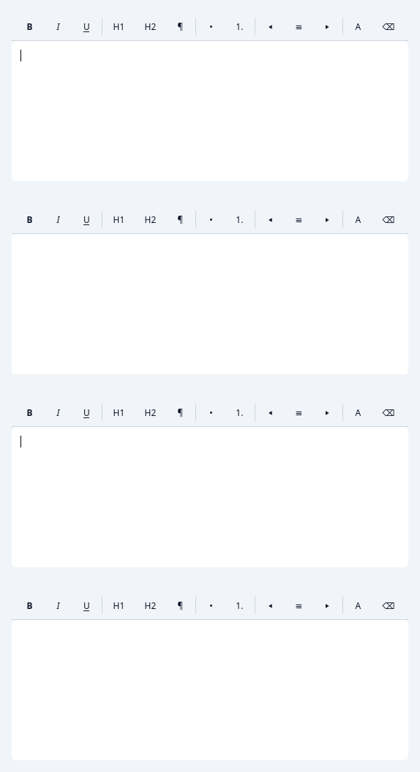
A WYSIWYG rich-text editor.
A formatting toolbar (bold / italic / underline / headings / lists /
alignment / text colour / clear) over a QTextEdit. Tokenized. Exposes
toHtml / setHtml / toPlainText / setPlainText and a textChanged signal.
At a glance
| Tier | Pro |
| Import | from Custom_Widgets.QCustomRichTextEditor import QCustomRichTextEditor |
| Qt Designer | Yes — drag it from the palette |
Quick start
from Custom_Widgets.QCustomRichTextEditor import QCustomRichTextEditor

widget = QCustomRichTextEditor()
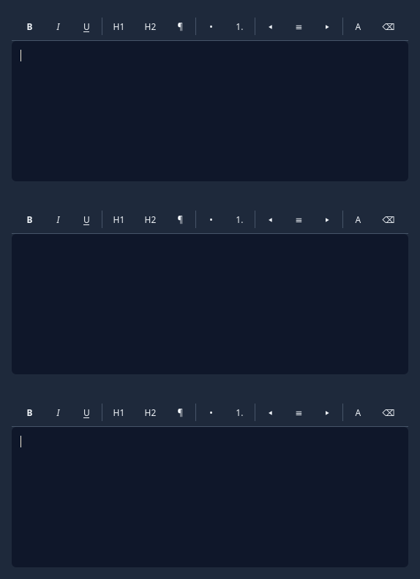
Dark theme
Colours come from the design tokens, so the widget follows the app theme with no extra work.
Signals
| Signal |
|---|
textChanged() |
Methods
| Method | Description |
|---|---|
editor() | Editor. |
setHtml(html) | Set the html. |
setPlainText(text) | Set the plain text. |
textChanged(...) | Text changed. |
toHtml() | To html. |
toPlainText() | To plain text. |
Theming
Colours come from the design tokens, so they follow the active theme. Roles used: surface, on-surface, surface-muted, outline, accent, on-primary.
See Design tokens.
Related
QCustomCodeEditor · QCustomDataTable · QCustomNodeGraph · QCustomTableToolbar · QCustomTreeWidget