Glass Home — Smart Home Dashboard
visionOS-inspired glassmorphism smart home UI built entirely with Custom Widgets.
Overview
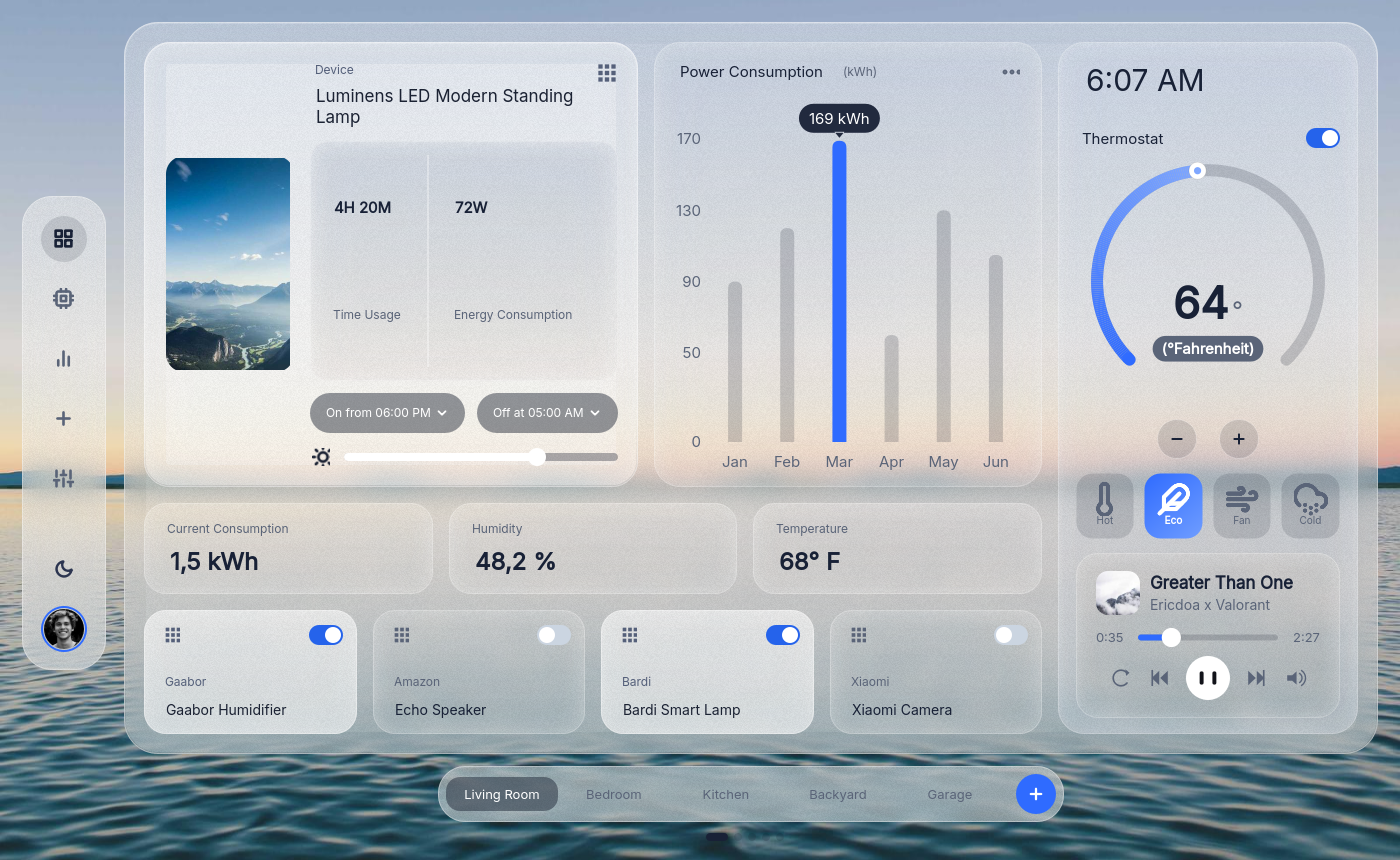
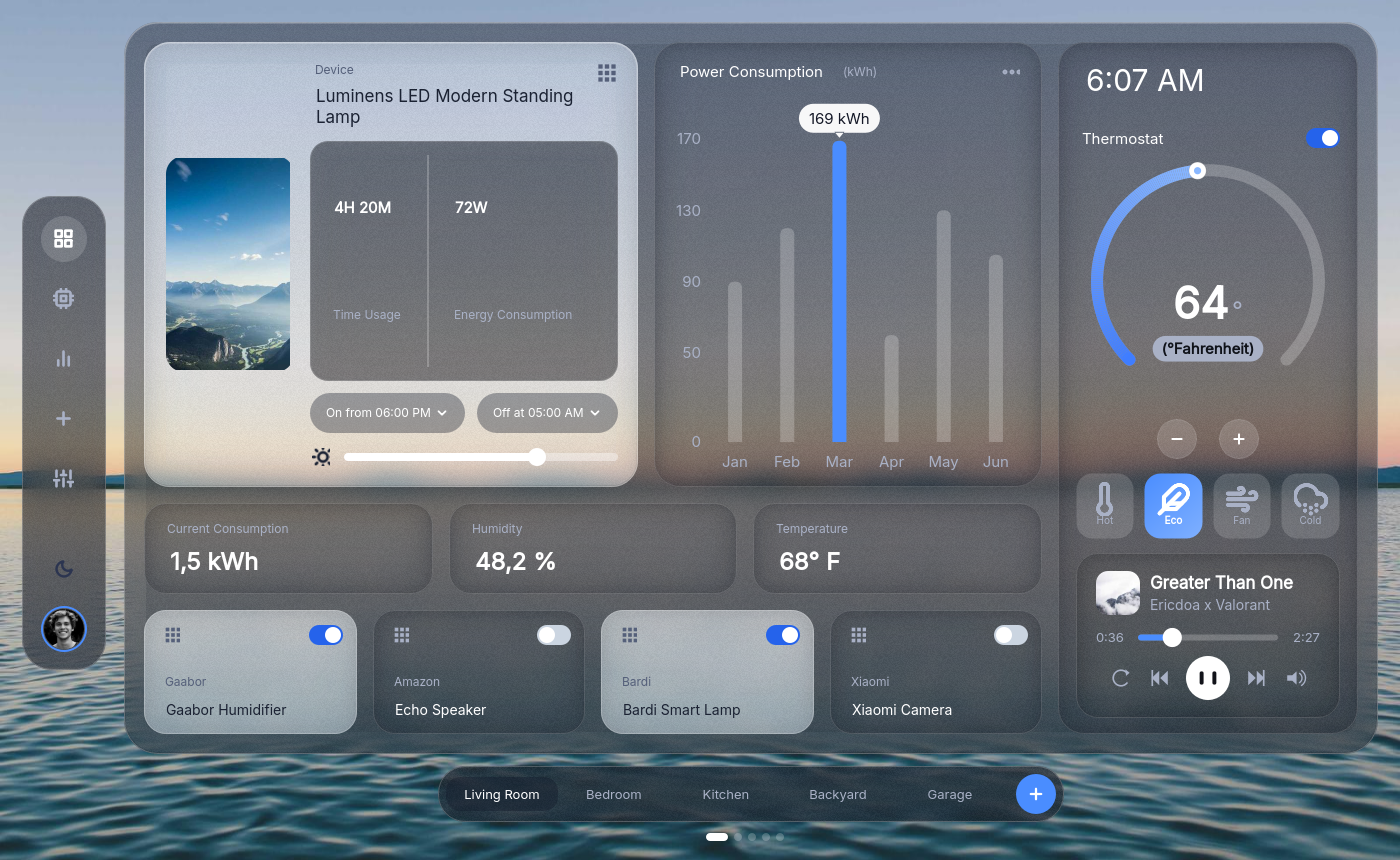
Glass Home is a fully themed smart home dashboard demonstrating glass morphism (QCustomGlassFrame), live theme switching, and the component pipeline (.ui forms + compiled src/ + json-styles themes). It runs at 1400×860 and features a nav rail, device hero, power consumption chart, thermostat, and device tiles — all styled via QSS/SCSS tokens.
Source: examples/PySide6/GlassHome/
Screenshots
Light theme
Dark theme (one-click toggle)
Qt Designer with MainWindow.ui
The MainWindow.ui form opens in Qt Designer with every Custom Widget
available from the palette — see Designer tools.
Key widgets used
| Widget | Purpose |
|---|---|
QCustomGlassFrame | Blurred-backdrop glass panels (nav, hero, stats, right panel) |
QCustomRadialGauge | Thermostat temperature dial |
QCustomMiniBarChart | Power consumption bar chart |
QCustomThemeDarkLightToggle | One-click light/dark theme switch |
QCustomQPushButton | Nav rail icons, On/Off pills |
QCustomSwitch | Device tile toggles |
QCustomComponentContainer | Embedding each screen component |
QCustomClockLabel | Live clock in the thermostat panel |
QCustomQLabel | Icon labels (lamp, apps, brightness) |
QCustomAvatar | User avatar in nav rail |
QCustomTileButton | Thermostat mode selector (Hot/Eco/Fan/Cold) |
QCustomPlayerBar | Media player playback bar |
QCustomWallpaper | Background wallpaper layer |
Architecture
The app follows the forms pipeline:
- ui/
*.ui— Designer-authored forms for each component (MainWindow, DeviceHero, PowerChart, StatCard, DeviceTile, NavRail, ThermostatPanel, ModeRow, PlayerCard) - src/ui/ui_
*.py— compiled viaCustom_Widgets --convert-ui - json-styles/style.json — CustomThemes with light/dark color schemes
- Qss/scss/defaultStyle.scss — component-scoped styles using
$TOKENS
Component tree
MainWindow (QCustomQMainWindow)
  shell (QWidget)
    wallpaper (QCustomWallpaper)
    overlay (QWidget)
      navRailContainer (QCustomComponentContainer)
        NavRail (QCustomComponentLoader)
          navGlass (QCustomGlassFrame)
            navDashboard / navDevices / navStats / ... (QCustomQPushButton)
            navThemeToggle (QCustomThemeDarkLightToggle)
            navAvatar (QCustomAvatar)
      sheetGlass (QCustomGlassFrame) — main content area
        heroContainer → DeviceHero (lamp, stats, brightness slider)
        powerContainer → PowerChart (mini bar chart)
        statCurrentContainer / statHumidityContainer / statTempContainer → StatCard
        tileHumidifierContainer / tileSpeakerContainer / tileLampContainer / tileCameraContainer → DeviceTile
        rightGlass (QCustomGlassFrame)
          thermoContainer → ThermostatPanel (radial gauge, clock, modes)
          modeContainer → ModeRow (Hot/Eco/Fan/Cold tiles)
          playerContainer → PlayerCard (media player)
App wiring
# main.py boot order
setupUi(self, self.ui)
loadJsonStyle(self, self.ui, jsonFiles={"json-styles/style.json"})
show()
QAppSettings.updateAppSettings(self)
# — theme toggled by navThemeToggle widget, no code needed
The GuiFunctions orchestrator wires each QCustomComponentContainer to its compiled component, connects signals (slider, switches, thermostat +/-), and seeds demo data.
Running the example
cd examples/PySide6/GlassHome
python main.py
Or via Designer: designer_run_app with project pointing to examples/PySide6/GlassHome.