QCustomClockLabel
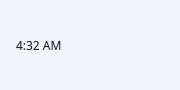
A self-ticking clock label.
Shows the current time in format (QTime.toString syntax, default
"h:mm AP") and re-renders itself every interval ms - no app-side QTimer
or formatting code. running (default True) pauses the tick; style it
like any QLabel from QSS.
At a glance
| Tier | Free (GPLv3) |
| Import | from Custom_Widgets.QCustomClockLabel import QCustomClockLabel |
| Qt Designer | Yes — drag it from the palette |
Quick start
from Custom_Widgets.QCustomClockLabel import QCustomClockLabel

widget = QCustomClockLabel()
Dark theme
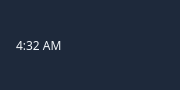
Colours come from the design tokens, so the widget follows the app theme with no extra work.
Properties
Every property below is settable in code and in Qt Designer.
| Property | Type | Default |
|---|---|---|
frameShape | QFrame::Shape | — |
frameShadow | QFrame::Shadow | — |
lineWidth | int | — |
midLineWidth | int | — |
frameWidth | int | — |
frameRect | QRect | — |
text | string | — |
textFormat | Qt::TextFormat | — |
pixmap | QPixmap | — |
scaledContents | bool | — |
alignment | QFlags<Qt::AlignmentFlag> | — |
wordWrap | bool | — |
margin | int | — |
indent | int | — |
openExternalLinks | bool | — |
textInteractionFlags | QFlags<Qt::TextInteractionFlag> | — |
hasSelectedText | bool | — |
selectedText | string | — |
format | string | h:mm AP |
interval | int | 1000 |
running | bool | True |
Methods
| Method | Description |
|---|---|
format(*args, **kwargs) | Format. |
interval(*args, **kwargs) | Interval. |
running(*args, **kwargs) | Running. |
Related
QCustomAgendaList · QCustomAlert · QCustomAvatar · QCustomAvatarGroup · QCustomBadge · QCustomCard · QCustomChip · QCustomChipGroup