QCustomNumberCounter
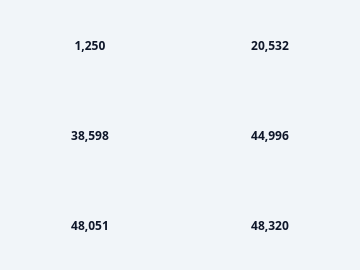
A number that animates to its new value.
The count-up on a landing page or a KPI tile. The animation is the widget: a number that simply changes reads as a redraw, one that counts draws the eye and communicates that it moved.
Formatting is deliberate - prefix, suffix, thousands separator, fixed decimals - because a counter that animates to "1234567.891" is worse than one that does not animate at all.
Emits valueChanged(float) continuously during the animation and finished() once it settles.
At a glance
| Tier | Free (GPLv3) |
| Import | from Custom_Widgets.QCustomNumberCounter import QCustomNumberCounter |
| Qt Designer | Yes — drag it from the palette |
Quick start
from Custom_Widgets.QCustomNumberCounter import QCustomNumberCounter

widget = QCustomNumberCounter()
Dark theme
Colours come from the design tokens, so the widget follows the app theme with no extra work.

Properties
Every property below is settable in code and in Qt Designer.
| Property | Type | Default |
|---|---|---|
displayValue | float | — |
value | float | 0.0 |
prefix | string | — |
suffix | string | — |
decimals | int | 0 |
separator | string | , |
duration | int | 900 |
fontScale | float | 1.0 |
bold | bool | True |
alignment | enum: left/center/right`` | center |
textColor | color | #0f172a |
Signals
| Signal |
|---|
finished() |
valueChanged(double) |
Methods
| Method | Description |
|---|---|
alignment(*args, **kwargs) | Alignment. |
bold(*args, **kwargs) | Bold. |
decimals(*args, **kwargs) | Decimals. |
displayValue(*args, **kwargs) | Display value. |
displayedValue() | Displayed value. |
duration(*args, **kwargs) | Duration. |
finished(...) | Finished. |
fontScale(*args, **kwargs) | Font scale. |
formattedText() | The exact string painted, including prefix and suffix. |
isAnimating() | Return whether the widget is animating. |
prefix(*args, **kwargs) | Prefix. |
reset(value=0.0) | Reset. |
separator(*args, **kwargs) | Separator. |
setValue(value, animate=True) | Animate to a new value. animate=False jumps, for initial state. |
suffix(*args, **kwargs) | Suffix. |
textColor(*args, **kwargs) | Text color. |
value(*args, **kwargs) | Value. |
valueChanged(...) | Value changed. |
Theming
Colours come from the design tokens, so they follow the active theme. Roles used: on-surface.
See Design tokens.
Runnable example
A complete app using this widget lives at examples/PySide6/QCustomNumberCounter/main.py.
Related
QCustomAgendaList · QCustomAlert · QCustomAvatar · QCustomAvatarGroup · QCustomBadge · QCustomCard · QCustomChip · QCustomChipGroup