QCustomRadioGroup
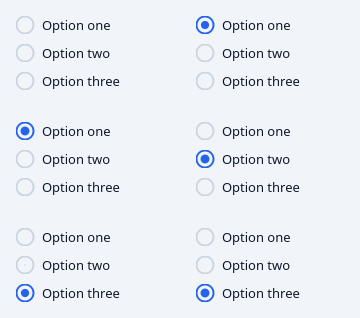
A labelled set of single-choice options.
Owns a set of QCustomRadioButton children and the mutual exclusion between them, so the group - not the buttons - is the single source of truth for "what is selected". That matters in Qt Designer, where you cannot wire up sibling relationships by hand.
Options are authored in code with setOptions([...]) or in Qt Designer with the optionsCsv property, following the valuesCsv convention used by the chart widgets:
optionsCsv = "Free,Pro,Studio" labels double as values optionsCsv = "free=Free,pro=Pro,studio=Studio" explicit value=label
Emits valueChanged(str) and currentIndexChanged(int).
At a glance
| Tier | Free (GPLv3) |
| Import | from Custom_Widgets.QCustomRadioGroup import QCustomRadioGroup |
| Qt Designer | Yes — drag it from the palette |
Quick start
from Custom_Widgets.QCustomRadioGroup import QCustomRadioGroup

widget = QCustomRadioGroup()
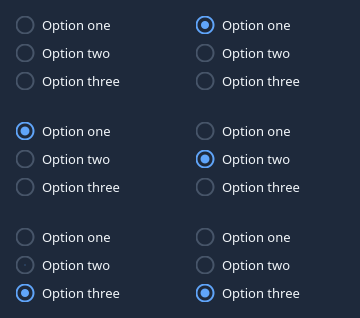
Dark theme
Colours come from the design tokens, so the widget follows the app theme with no extra work.
Properties
Every property below is settable in code and in Qt Designer.
| Property | Type | Default |
|---|---|---|
optionsCsv | string | Option one,Option two,Option three |
selectedValue | string | — |
title | string | — |
orientation | enum: vertical/horizontal`` | vertical |
spacingPx | int | 10 |
sizeVariant | enum: sm/md/lg`` | md |
titleColor | color | — |
Signals
| Signal |
|---|
currentIndexChanged(int) |
valueChanged(QString) |
Methods
| Method | Description |
|---|---|
buttons() | Buttons. |
clearSelection() | Clear the selection. |
count() | Count. |
currentIndex() | Current index. |
currentIndexChanged(...) | Current index changed. |
currentLabel() | Current label. |
options() | Options. |
optionsCsv(*args, **kwargs) | Options csv. |
orientation(*args, **kwargs) | Orientation. |
selectedValue(*args, **kwargs) | Selected value. |
setCurrentIndex(index) | Set the current index. |
setOptions(options) | Replace every option. Selection is kept if its value survives. |
setValue(value) | Set the value. |
sizeVariant(*args, **kwargs) | Size variant. |
spacingPx(*args, **kwargs) | Spacing px. |
title(*args, **kwargs) | Title. |
titleColor(*args, **kwargs) | Title color. |
value() | Value. |
valueChanged(...) | Value changed. |
Theming
Colours come from the design tokens, so they follow the active theme. Roles used: on-surface.
See Design tokens.
Runnable example
A complete app using this widget lives at examples/PySide6/QCustomRadioGroup/main.py.
Related
QCustomButtonGroup · QCustomCheckBox · QCustomColorPicker · QCustomComboBox · QCustomDateEdit · QCustomDateRangeEdit · QCustomDateRangePicker · QCustomEmojiPicker