QCustomMessageStatus
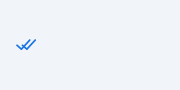
A delivery-state tick indicator.
The little "read receipt" ticks next to an outgoing message's time:
sending -> a small clock
sent -> one check
delivered -> two checks
read -> two checks in the accent/read colour
The ticks are PAINTED (crisp at any size, no glyph/asset) and the colours are
qproperties so they track the theme. Set the state with the status Designer
property or setStatus("read").
At a glance
| Tier | Free (GPLv3) |
| Import | from Custom_Widgets.QCustomMessageStatus import QCustomMessageStatus |
| Qt Designer | Yes — drag it from the palette |
Quick start
from Custom_Widgets.QCustomMessageStatus import QCustomMessageStatus

widget = QCustomMessageStatus()
Dark theme
Colours come from the design tokens, so the widget follows the app theme with no extra work.

Properties
Every property below is settable in code and in Qt Designer.
| Property | Type | Default |
|---|---|---|
status | enum: sending/sent/delivered/read`` | read |
tickColor | color | #99a0b0 |
readColor | color | #1b74e4 |
tickSize | int | 13 |
Methods
| Method | Description |
|---|---|
readColor(*args, **kwargs) | Read color. |
setStatus(s) | Set the status. |
status(*args, **kwargs) | Status. |
tickColor(*args, **kwargs) | Tick color. |
tickSize(*args, **kwargs) | Tick size. |
Theming
Colours come from the design tokens, so they follow the active theme. Roles used: accent, on-surface-muted.
See Design tokens.
Related
QCustomChatBubble · QCustomChatDivider · QCustomChatInput · QCustomChatList · QCustomChatListItem · QCustomChatThread · QCustomReactionBar · QCustomTypingIndicator