QCustomReactionBar
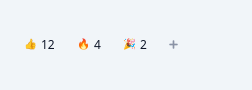
A row of emoji reaction chips.
The little pills under a chat message showing who reacted: each chip is an
emoji + a count, and an optional trailing "add reaction" button. Feed it data
with setReactions([("👍", 3), ("❤️", 1)]) or the reactions Designer
property ("👍:3,❤️:1"). Clicking a chip emits reactionClicked(emoji);
clicking the add button emits addRequested(). Chips are styled entirely from
the app QSS (objectName selectors) so they flip with the theme; the add
button's "+" is painted (no glyph/asset).
At a glance
| Tier | Free (GPLv3) |
| Import | from Custom_Widgets.QCustomReactionBar import QCustomReactionBar |
| Qt Designer | Yes — drag it from the palette |
Quick start
from Custom_Widgets.QCustomReactionBar import QCustomReactionBar

widget = QCustomReactionBar()
widget.setReactions([("\U0001f44d", 12), ("\U0001f525", 4), ("\U0001f389", 2)])
That is the exact code behind the screenshot above.
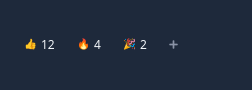
Dark theme
Colours come from the design tokens, so the widget follows the app theme with no extra work.
Properties
Every property below is settable in code and in Qt Designer.
| Property | Type | Default |
|---|---|---|
reactions | string | — |
showAdd | bool | True |
addColor | color | #8a93a6 |
Signals
| Signal |
|---|
addRequested() |
reactionClicked(QString) |
Methods
| Method | Description |
|---|---|
addColor(*args, **kwargs) | Add a color. |
addRequested(...) | Add a requested. |
reactionClicked(...) | Reaction clicked. |
reactions(*args, **kwargs) | Reactions. |
setReactions(reactions) | Set the reactions. |
showAdd(*args, **kwargs) | Show the add. |
Related
QCustomChatBubble · QCustomChatDivider · QCustomChatInput · QCustomChatList · QCustomChatListItem · QCustomChatThread · QCustomMessageStatus · QCustomTypingIndicator