QCustomMediaTimeline
QCustomMediaTimeline ships in Custom Widgets Pro. It is not part of the free GPLv3 package from 2.6.0 onward — the free package keeps the import path so Qt Designer forms still load, and installing Pro activates the widget with no code change. Releases up to 2.5.0 included it under the GPLv3.
Pro is licensed software and is not installable from PyPI — the name there is a pointer package with no widgets in it. Licence holders download the wheel from their account:
# https://portal.customwidgets.org/downloads
pip install <the downloaded .whl>
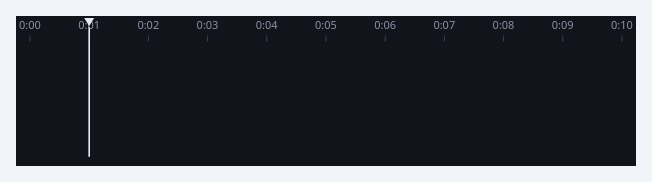
A horizontal multi-track clip / scrubber timeline.
The bottom-of-a-video/animation-tool surface: a time RULER with labelled ticks (0:01 .. 0:09), a draggable PLAYHEAD, and one or more TRACK lanes. A track is either a lane of rounded CLIP blocks (move the body, trim from either edge) or a WAVEFORM lane (an audio waveform painted from sample values). Everything is painted with QPainter so it stays crisp at any size and every colour is a qproperty that tracks the theme.
Drag on the ruler (or the playhead) to scrub -> positionChanged(seconds). Drag a clip body -> clipMoved(track, clip); drag a clip edge -> clipTrimmed. Build it declaratively: setDuration(), addTrack(), addClip()/setWaveform(), or setTimeline({...}).
At a glance
| Tier | Pro |
| Import | from Custom_Widgets.QCustomMediaTimeline import QCustomMediaTimeline |
| Qt Designer | Yes — drag it from the palette |
Quick start
from Custom_Widgets.QCustomMediaTimeline import QCustomMediaTimeline

widget = QCustomMediaTimeline()
Dark theme
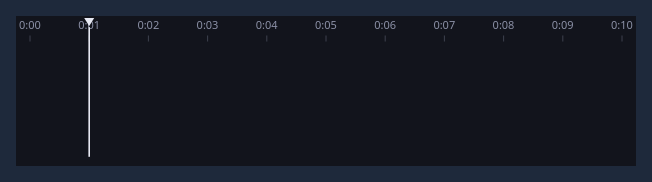
Colours come from the design tokens, so the widget follows the app theme with no extra work.
Properties
Every property below is settable in code and in Qt Designer.
| Property | Type | Default |
|---|---|---|
duration | double | 10.0 |
position | double | 1.0 |
playing | bool | False |
loop | bool | True |
animated | bool | True |
bgColor | color | #12141c |
rulerColor | color | #8b90a6 |
playheadColor | color | #e7e9f3 |
trackBgColor | color | #1b1e2a |
clipColor | color | #c17ce0 |
waveColor | color | #8b90a6 |
textColor | color | #e7e9f3 |
cornerRadius | int | 10 |
Signals
| Signal |
|---|
clipClicked(int,int) |
clipMoved(int,int) |
clipTrimmed(int,int) |
playToggled(bool) |
positionChanged(double) |
Methods
| Method | Description |
|---|---|
addClip(track, start, end, color=None, label='') | Add a clip. |
addTrack(name='Track', kind='clips', color=None) | Add a track. |
animated(*args, **kwargs) | Animated. |
bgColor(*args, **kwargs) | Bg color. |
clear() | Clear. |
clipClicked(...) | Clip clicked. |
clipColor(*args, **kwargs) | Clip color. |
clipMoved(...) | Clip moved. |
clipTrimmed(...) | Clip trimmed. |
cornerRadius(*args, **kwargs) | Corner radius. |
duration(*args, **kwargs) | Duration. |
isPlaying() | Return whether the widget is playing. |
loop(*args, **kwargs) | Loop. |
pause() | Pause. |
play() | Play. |
playToggled(...) | Play toggled. |
playheadColor(*args, **kwargs) | Playhead color. |
playing(*args, **kwargs) | Playing. |
position(*args, **kwargs) | Position. |
positionChanged(...) | Position changed. |
positionSeconds() | Position seconds. |
rulerColor(*args, **kwargs) | Ruler color. |
setAnimated(on) | Enable/disable animation entirely (stops playback when disabled). |
setDuration(seconds) | Set the duration. |
setPlaying(on) | Set the playing. |
setPosition(seconds) | Set the position. |
setTimeline(data) | data = {"duration":10, "position":1, |
setWaveform(track, values) | Set the waveform. |
textColor(*args, **kwargs) | Text color. |
togglePlay() | Toggle the play. |
trackBgColor(*args, **kwargs) | Track bg color. |
waveColor(*args, **kwargs) | Wave color. |
Related
QCustomCoverFlow · QCustomImageViewer · QCustomMediaGrid · QCustomPlayerBar · QCustomVideoPlayer · QCustomVoiceMessage · QCustomWallpaper